> ## Documentation Index
> Fetch the complete documentation index at: https://docs.7qr.codes/llms.txt
> Use this file to discover all available pages before exploring further.
# Introduction
> Fundamental concepts of Dub.co's API.
Dub.co's API is currently in beta. If you have any questions or feedback,
please reach out to us at
[support@dub.co](mailto:support@dub.co?subject=Dub.co%20API%20Feedback).
## Base URL
Dub.co's API is built on REST principles and is served over HTTPS. To ensure data privacy, unencrypted HTTP is not supported.
The Base URL for all API endpoints is:
```bash Terminal theme={null}
https://api.dub.co
```
## Authentication
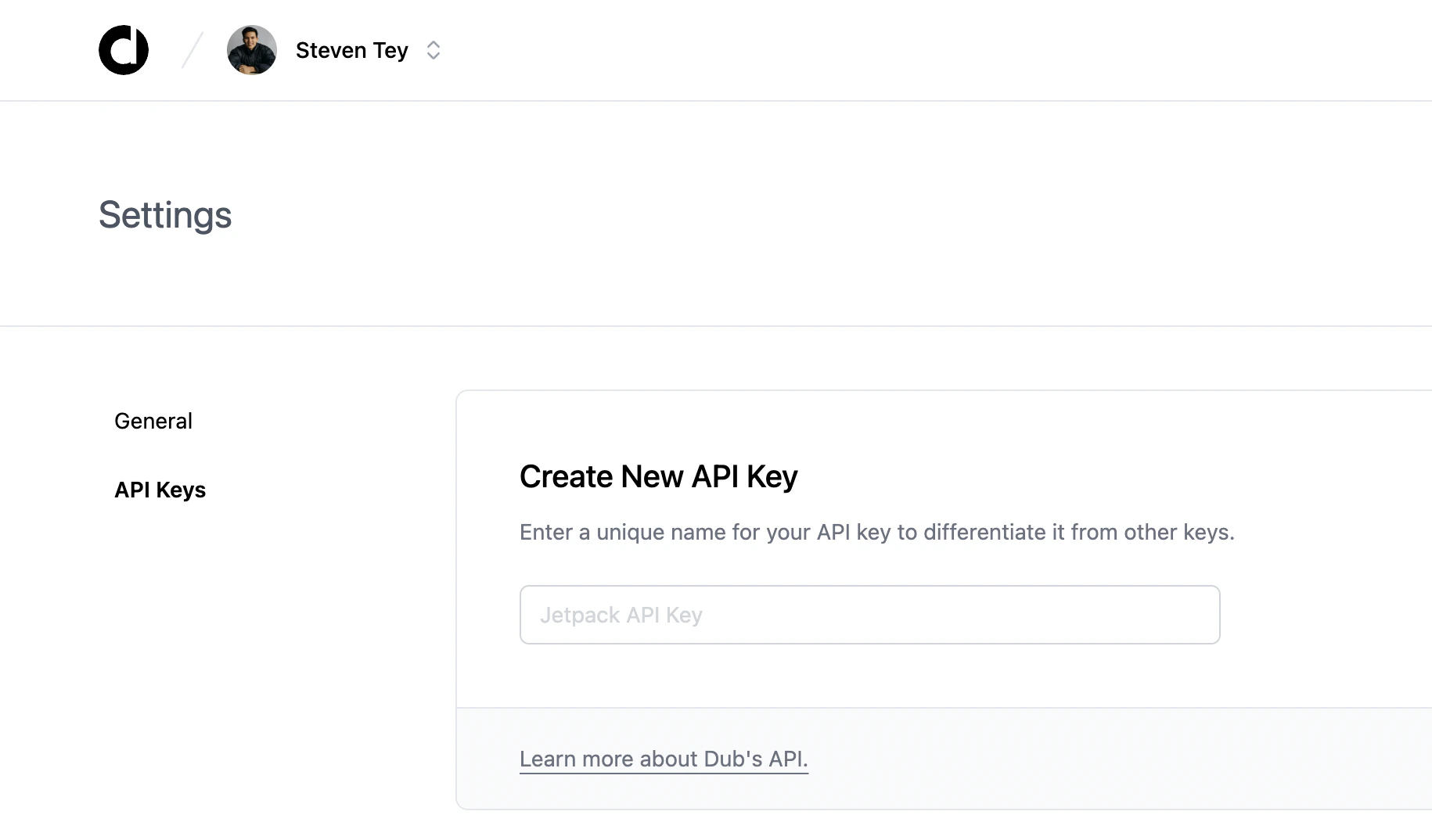
Authentication to Dub.co's API is performed via the Authorization header with a Bearer token. To authenticate, you need to include the Authorization header with the word `Bearer` followed by your token in your API requests like so:
```bash Terminal theme={null}
Authorization: Bearer
```
You can create a new token/API key under your [Dub.co Account Settings](https://app.dub.co/settings/tokens).
 ## Workspace ID
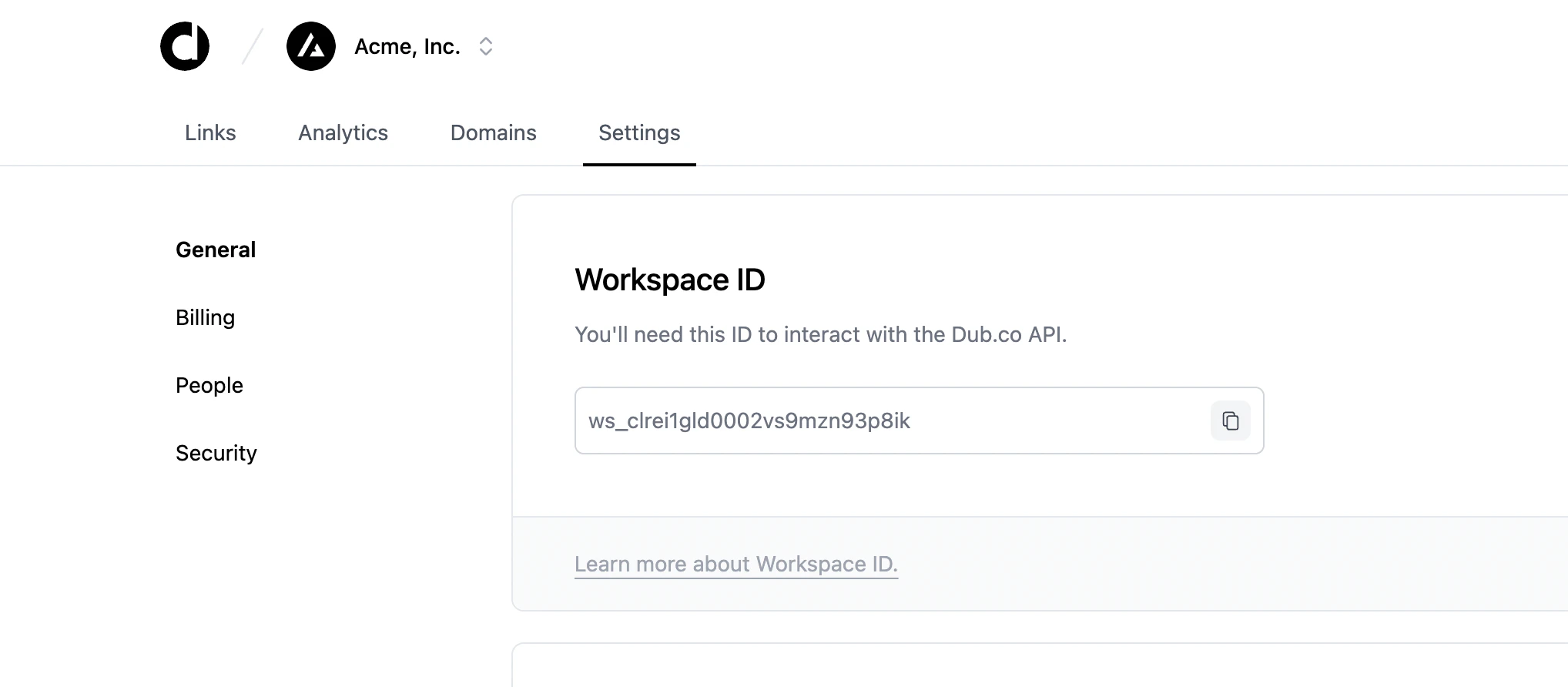
Dub.co's API is organized around workspaces. Each workspace has its own set of resources and permissions. To access a workspace's resources, you need to include the `workspaceId` query parameter in your API requests like so:
```bash Terminal theme={null}
https://api.dub.co/links?workspaceId=
```
You can get your workspace ID under your Dub.co Workspace Settings.
## Workspace ID
Dub.co's API is organized around workspaces. Each workspace has its own set of resources and permissions. To access a workspace's resources, you need to include the `workspaceId` query parameter in your API requests like so:
```bash Terminal theme={null}
https://api.dub.co/links?workspaceId=
```
You can get your workspace ID under your Dub.co Workspace Settings.
 ## Response Codes
The API returns standard HTTP response codes to indicate the success or failure of an API request. Here are a few examples:
| Code | Description |
| ----- | ---------------------------------------------------------------------------------------------- |
| `200` | The request was successful. |
| `400` | The request was invalid or cannot be served. |
| `401` | The request requires user authentication. |
| `403` | The server understood the request, but refuses to authorize it. |
| `404` | The requested resource could not be found. |
| `429` | Too many requests. |
| `500` | The server encountered an unexpected condition which prevented it from fulfilling the request. |
## Caveats
* Dub's API is currently in public beta and is subject to change. However, we will do our best to keep breaking changes to a minimum.
## Response Codes
The API returns standard HTTP response codes to indicate the success or failure of an API request. Here are a few examples:
| Code | Description |
| ----- | ---------------------------------------------------------------------------------------------- |
| `200` | The request was successful. |
| `400` | The request was invalid or cannot be served. |
| `401` | The request requires user authentication. |
| `403` | The server understood the request, but refuses to authorize it. |
| `404` | The requested resource could not be found. |
| `429` | Too many requests. |
| `500` | The server encountered an unexpected condition which prevented it from fulfilling the request. |
## Caveats
* Dub's API is currently in public beta and is subject to change. However, we will do our best to keep breaking changes to a minimum.